


The TestClient application can be used to check if an OPC HDA server can be accessed.
The server can be browsed to get the items supported by the server and the item names can be copied into the code of a client being developed.
All OPC HDA 1.2 functions can be called interactively to check if the values are returned as expected. This may help determine if an unexpected behavior has to searched in the client being developed or somewhere else.
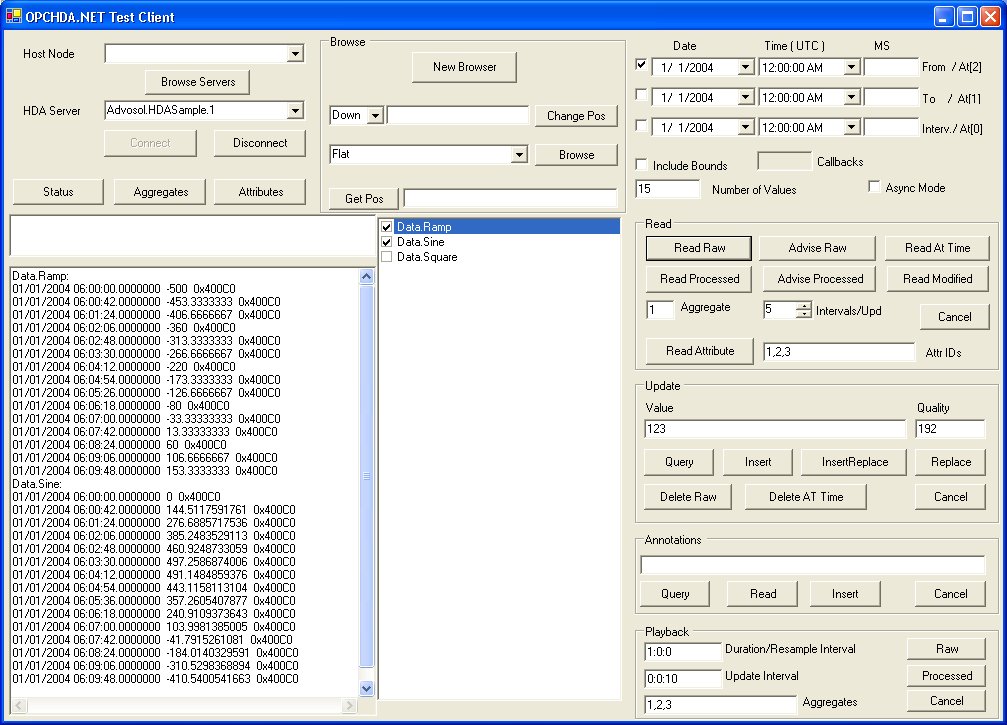
Usage:
The OPC HDA servers are browsed on a specified computer and the selected HDA server is connected.
The server has then to be browsed so that items can be selected for Read or other access functions. Servers with a small number of items are most conveniently browsed in FLAT mode. In this case only the browse button has to be clicked.
The servers browse features can be tested by creating a new browser object and then browsing the server using repeatedly the Change Browse Position and Browse Branch functions.
All server access functions are executed with the selected items, the selected time definitions and other function specific selections.
The test client application is built for ANY CPU and runs in 64bit mode on 64bit machines.
The 64bit OPC Core Components need to be installed for 64bit operation!